
Now that you've registered as a user on the platform, it's time to start getting the most out of the best-in-class tools, automation, and business management on the market.
To get started, you're going to need to create a business account. Business accounts are where you'll purchase, access, and manage your business tools like website builder, social dashboard, email marketing, etc.
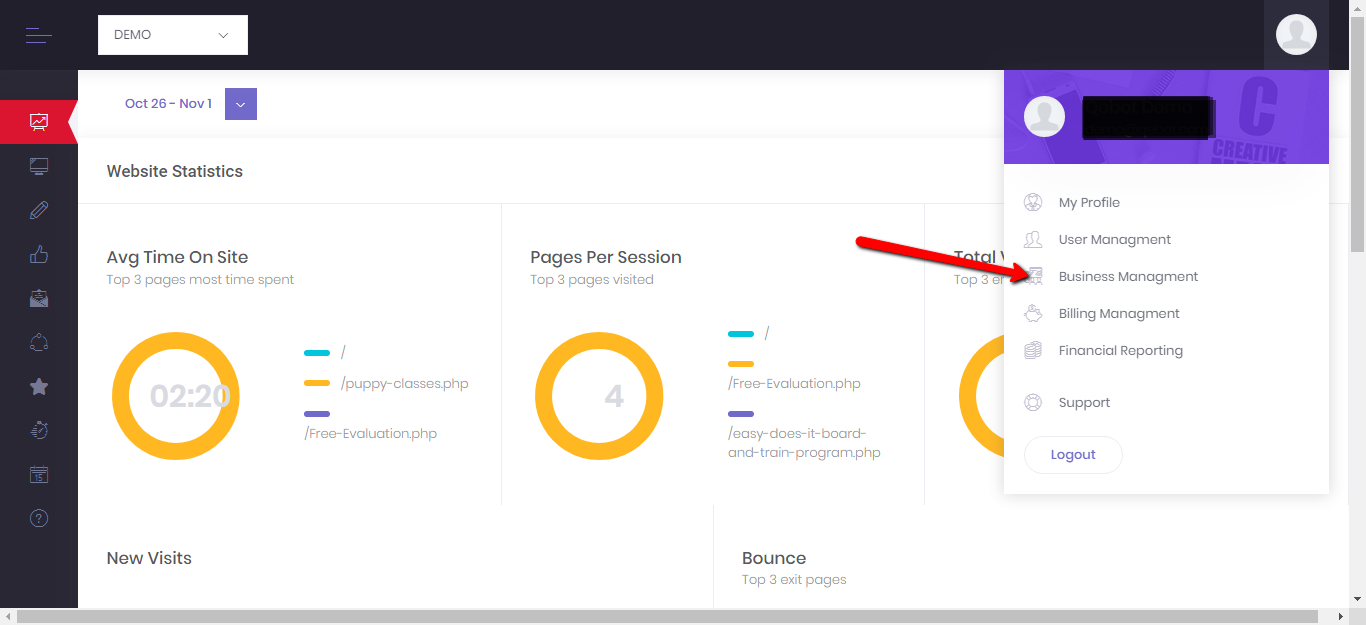
First, click on the settings in the upper right-hand corner of your platform, then click Business Management:
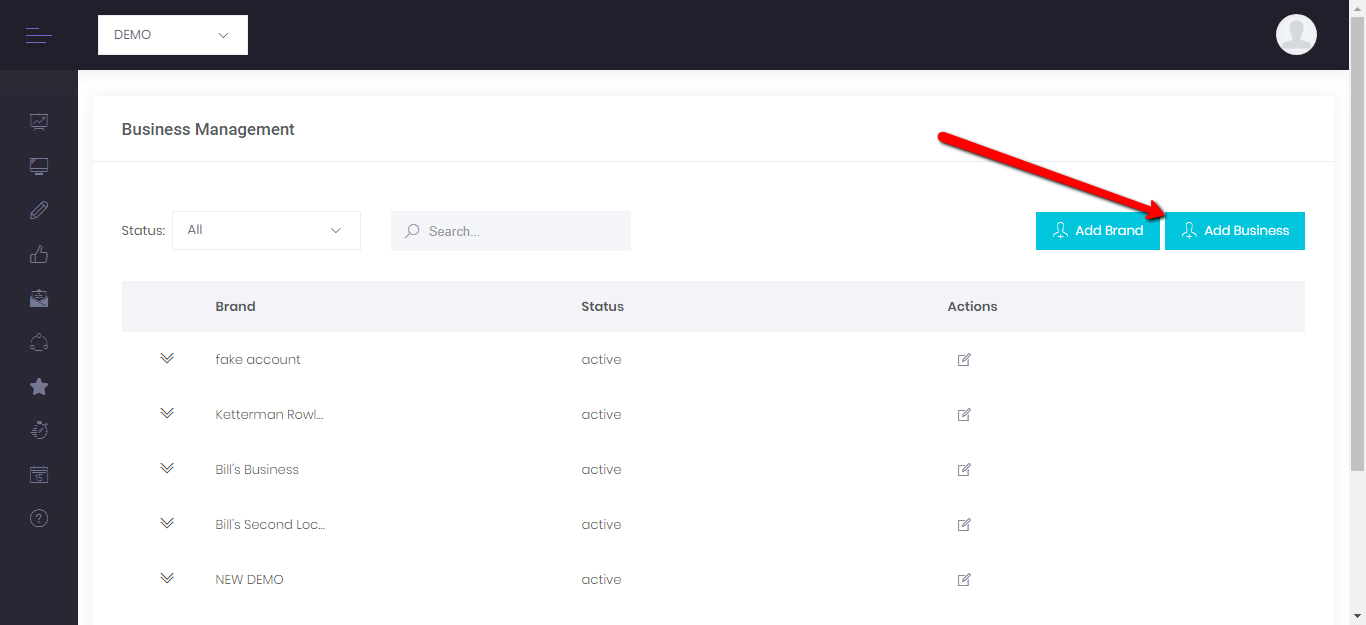
Next, Click the "Add Business" button. Enter the information requested in the webform.
At the bottom of the form you can associate this business with a brand if you've created one. This is helpful for multi-location or franchise businesses. If you are not associating your new business with an already established brand inside the platform, simply leave the choice on "No Brand Affiliation."
If you are building up a multi-location business in the platform, it's best to start by creating a brand in the system. From the "Create Brand" system you can add multiple locations at once.
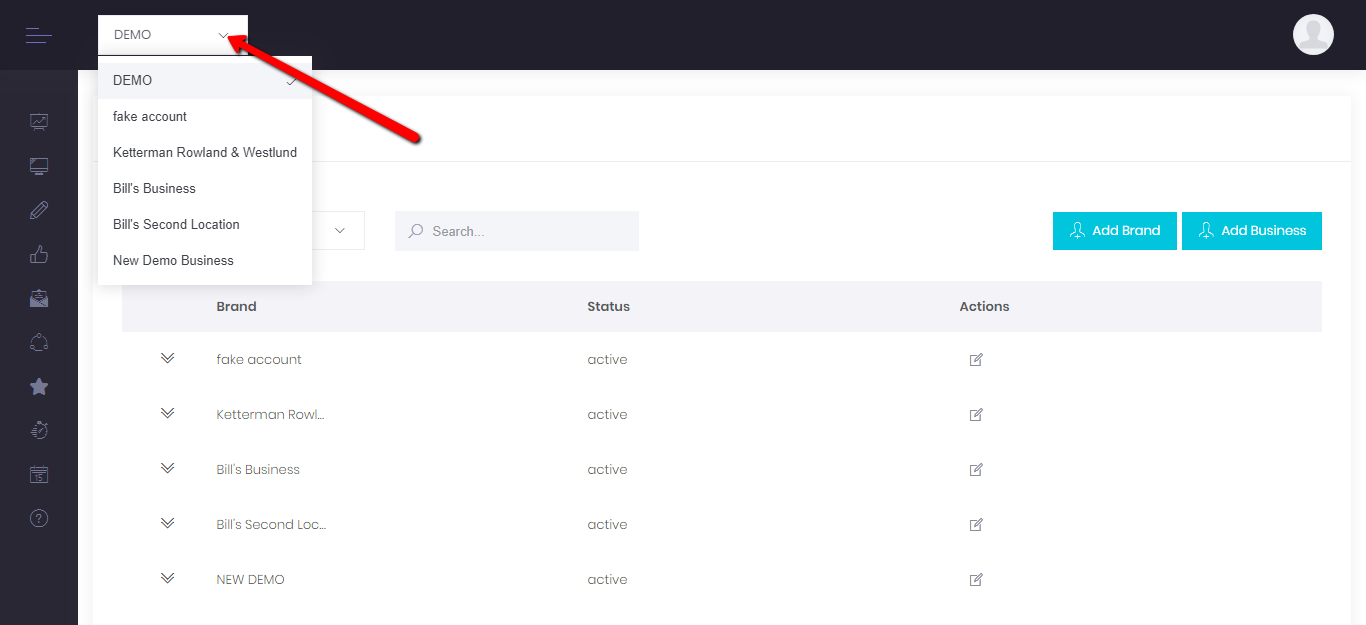
Once you have a business or businesses set up in your account, you can switch between business units using the search bar at the top of the page:
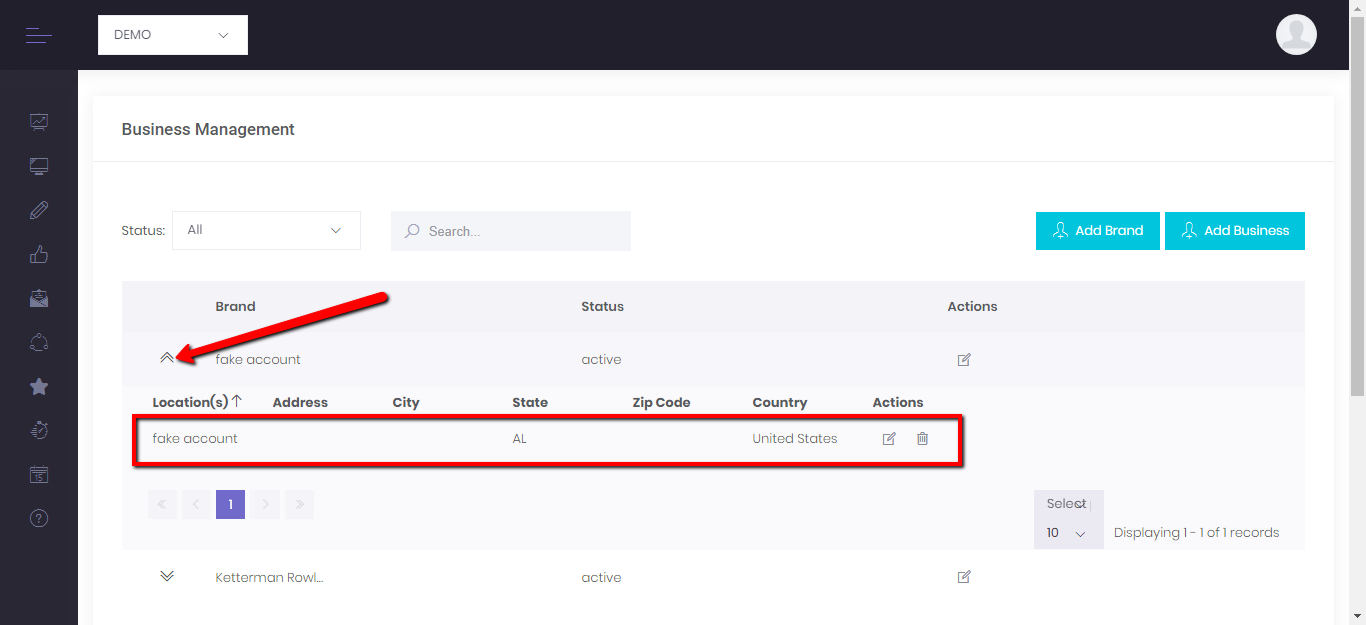
You can then view your individual business information on the Business Management page. For each new business that is created, a brand is automatically created (makes it easy if the business every decides to open a new location or region). To view or edit your business account, search for the business name, click the arrows next to the "Brand" and you can see the business information, and edit or delete a location.
Now you are ready to start managing your business(es)!
Comments
0 comments
Please sign in to leave a comment.